Setup

Sequence of setup

The Setup mode is intended for viewing and editing the device parameters. New parameters are saved to non-volatile memory of the device.

To enter (or exit) the Setup mode, press and hold buttonGraphic for at least 2 seconds.

While editing, if no button is pressed within 2 min., device automatically returns to parameter view mode.

When device enters Setup for the first time, indicator shows PASS. Enter a new 4-digit password (default is 0000 ), save it and memorise. This password is further required for changing the device settings and for restoring factory settings (dEFAUL).

Notice
If you forgot your password, Setup mode can be entered with password 1098.

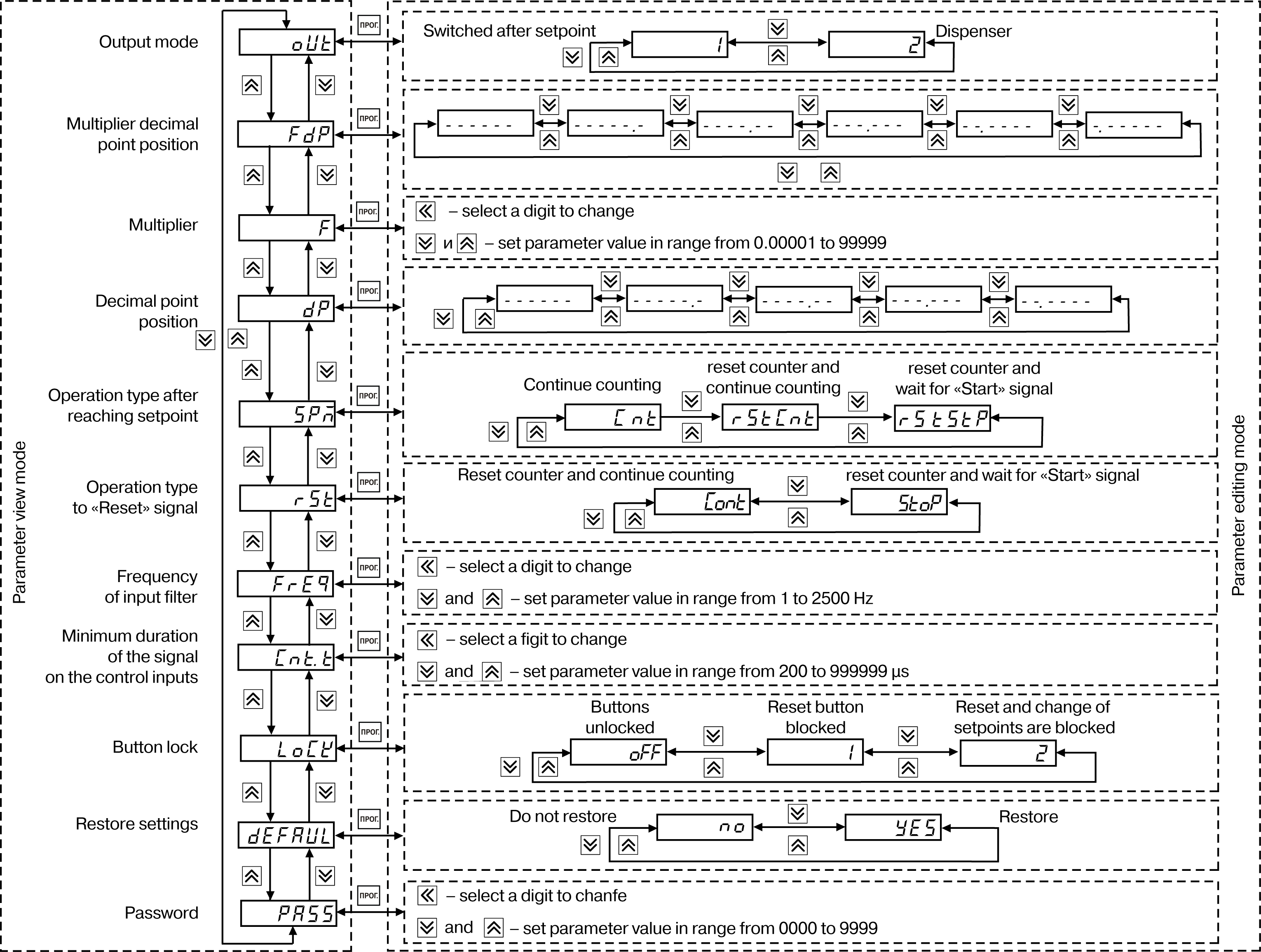
Structure of the device settings menu and sequence of pressing the buttons for setup is shown in Figure.

Graphic
Device settings menu

Since the FDP and DP parameters set restrictions on each other (the number of displayed digits after the decimal point in the counting results can not be larger than the number of digits after the decimal point of the entered multiplier), editing of parameters FDP, DP, F should be performed in the following sequence:

  • to increase the number of displayed digits after the decimal point (decimal point offset to the left):

    • set parameter FDP;

    • set parameter F;

    • set parameter DP.

  • to decrease the number of displayed digits after the decimal point (decimal point offset to the right):

    • set parameter DP.

    • set parameter FDP;

    • set parameter F.

Due to the restrictions imposed by the Dispenser mode (oUt= 2), it is recommended to change the mode of operation of the control unit in the following sequence:

  • set parameter SPM;

  • set parameter rSt;

  • set parameter oUt.

Notice
The list of configurable parameters of the device and their possible values is shown in Appendix A.

Setting the operating mode of the counter

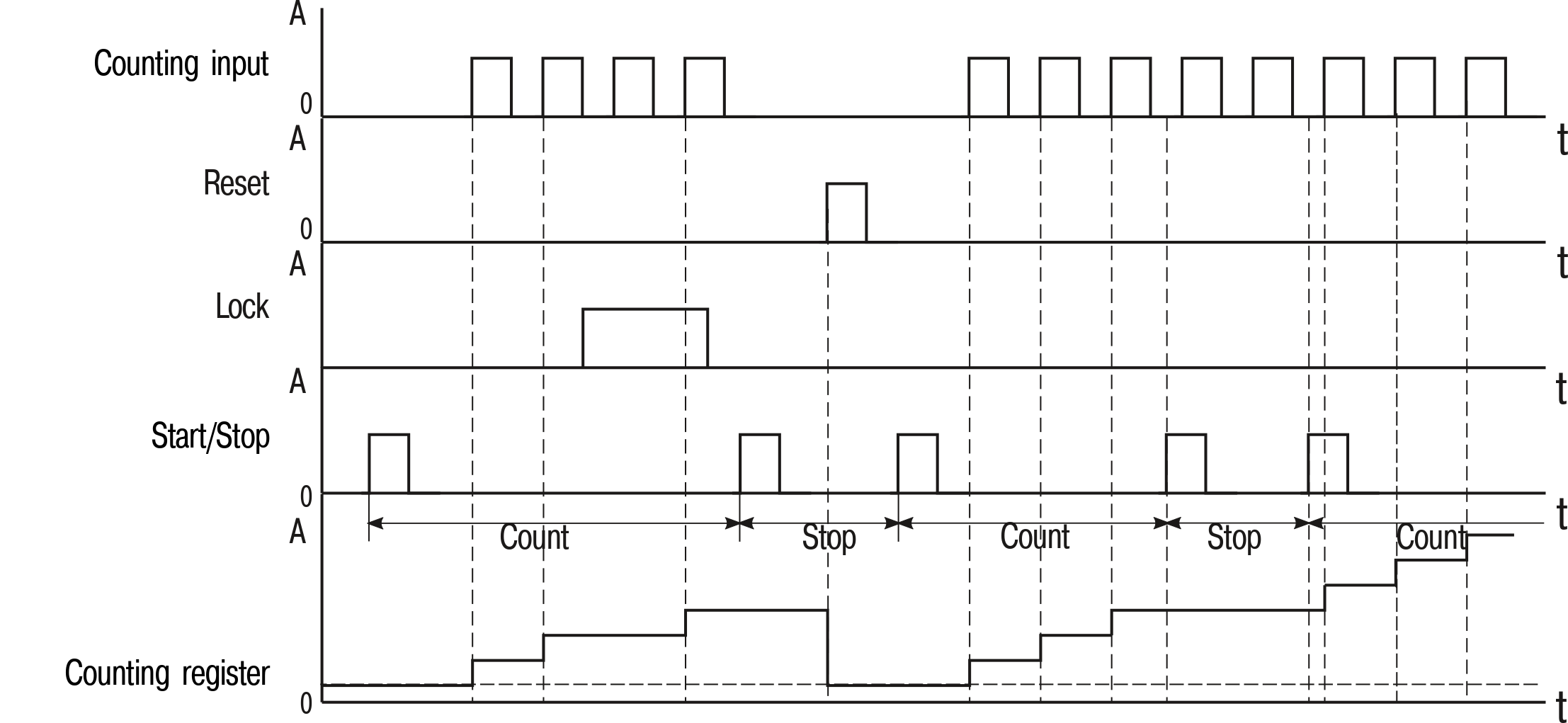
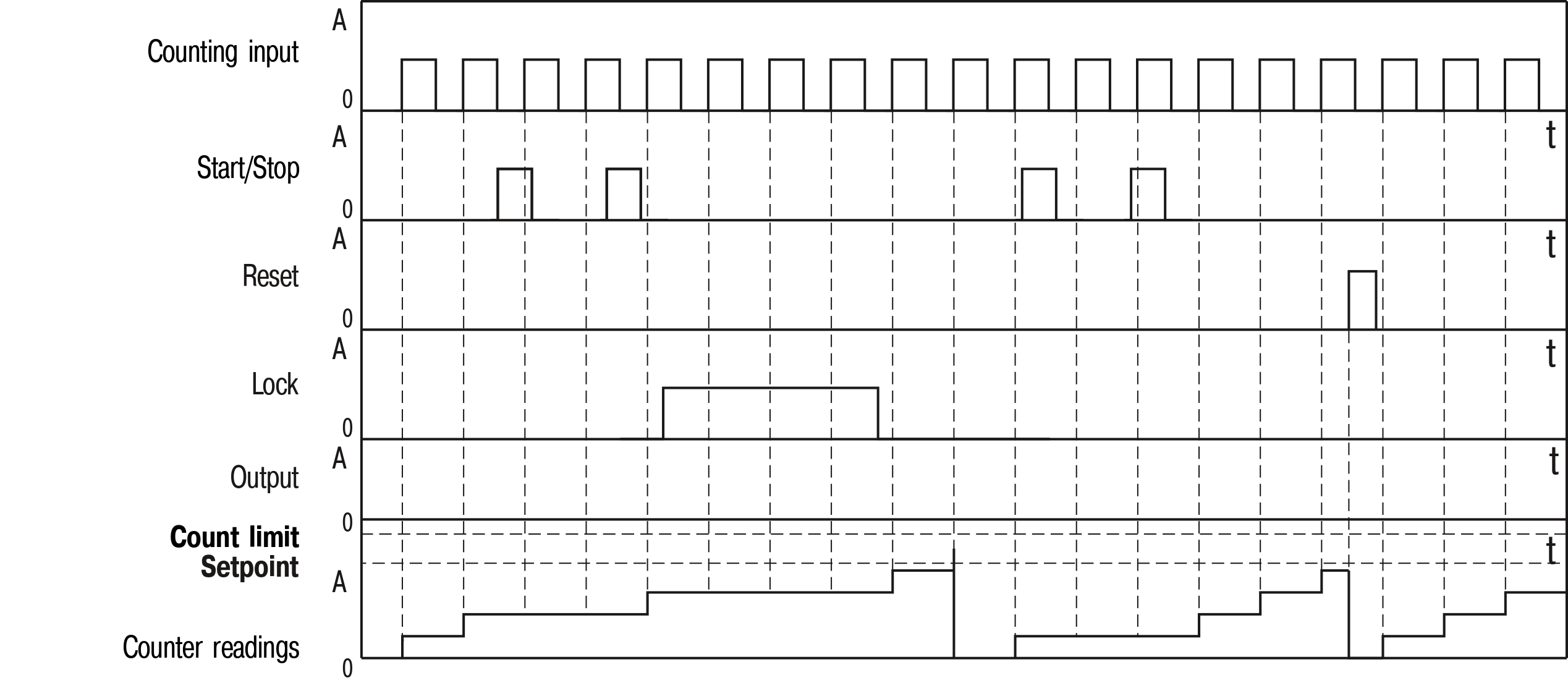
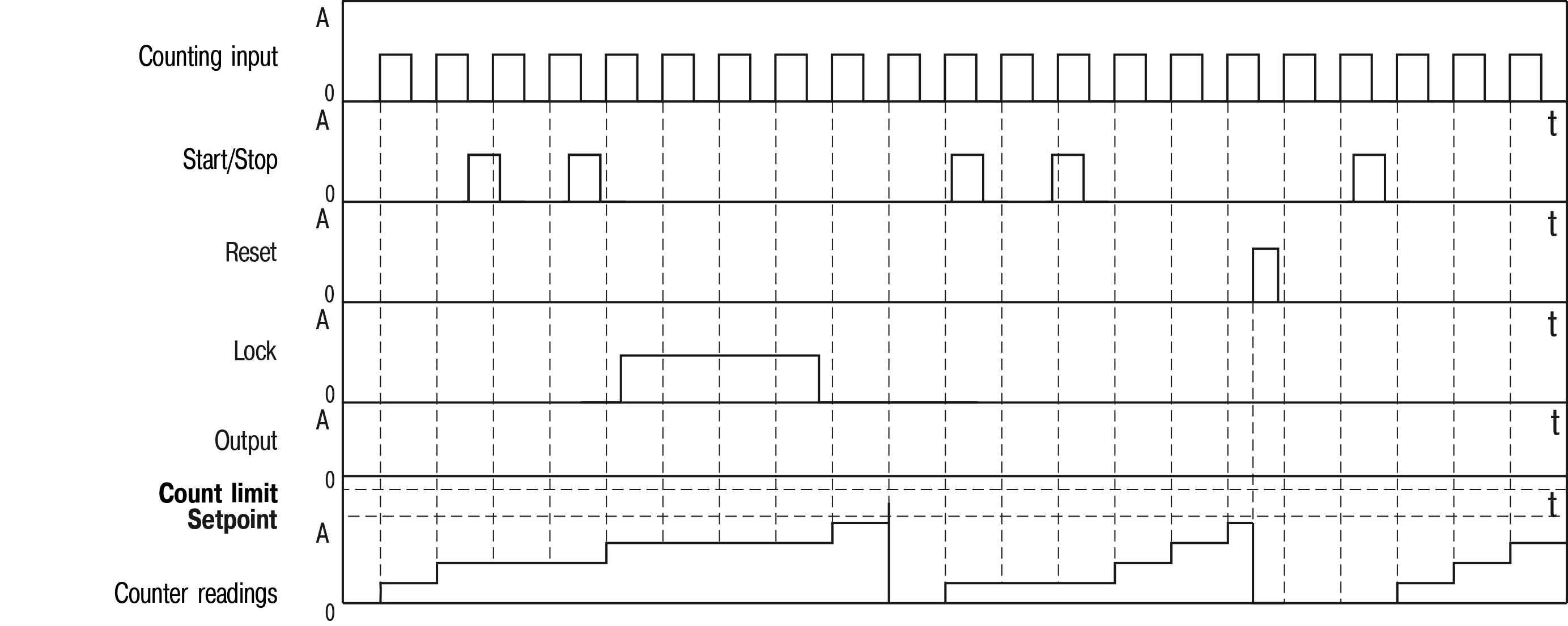
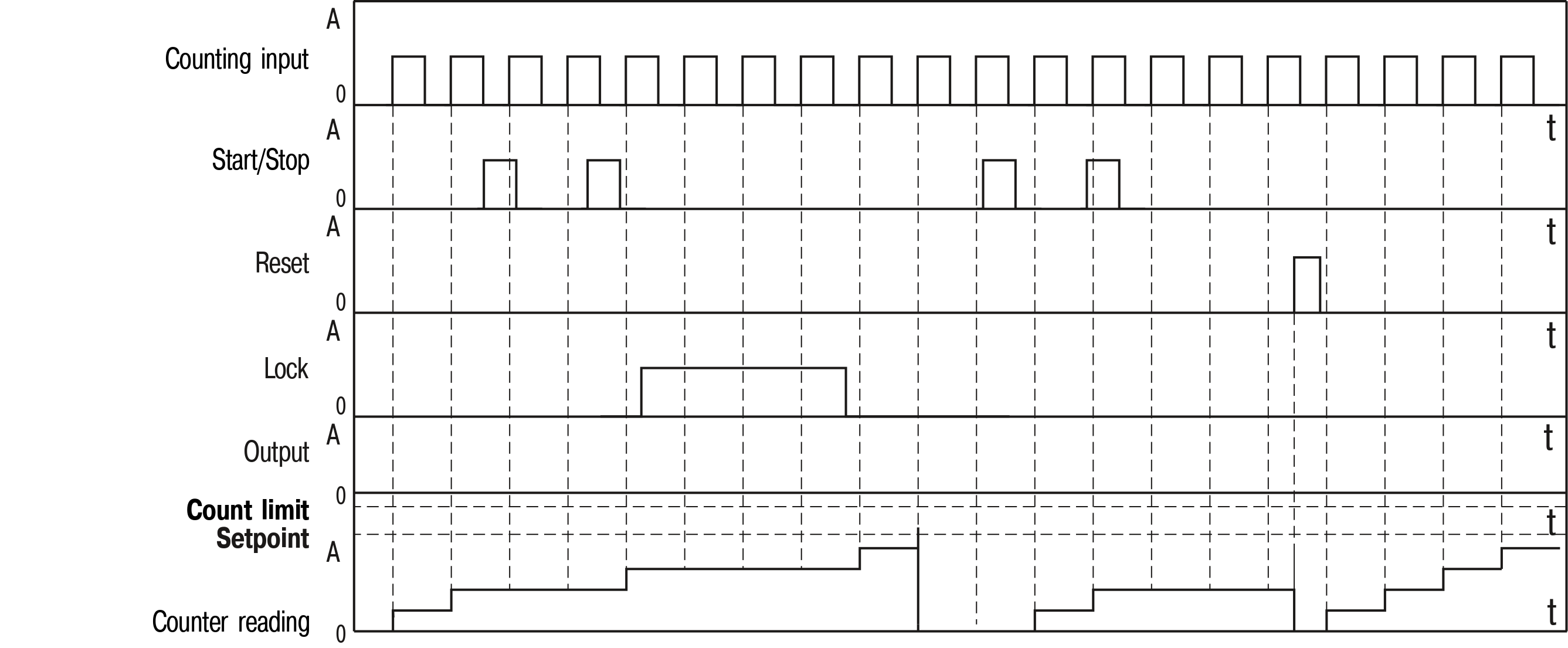
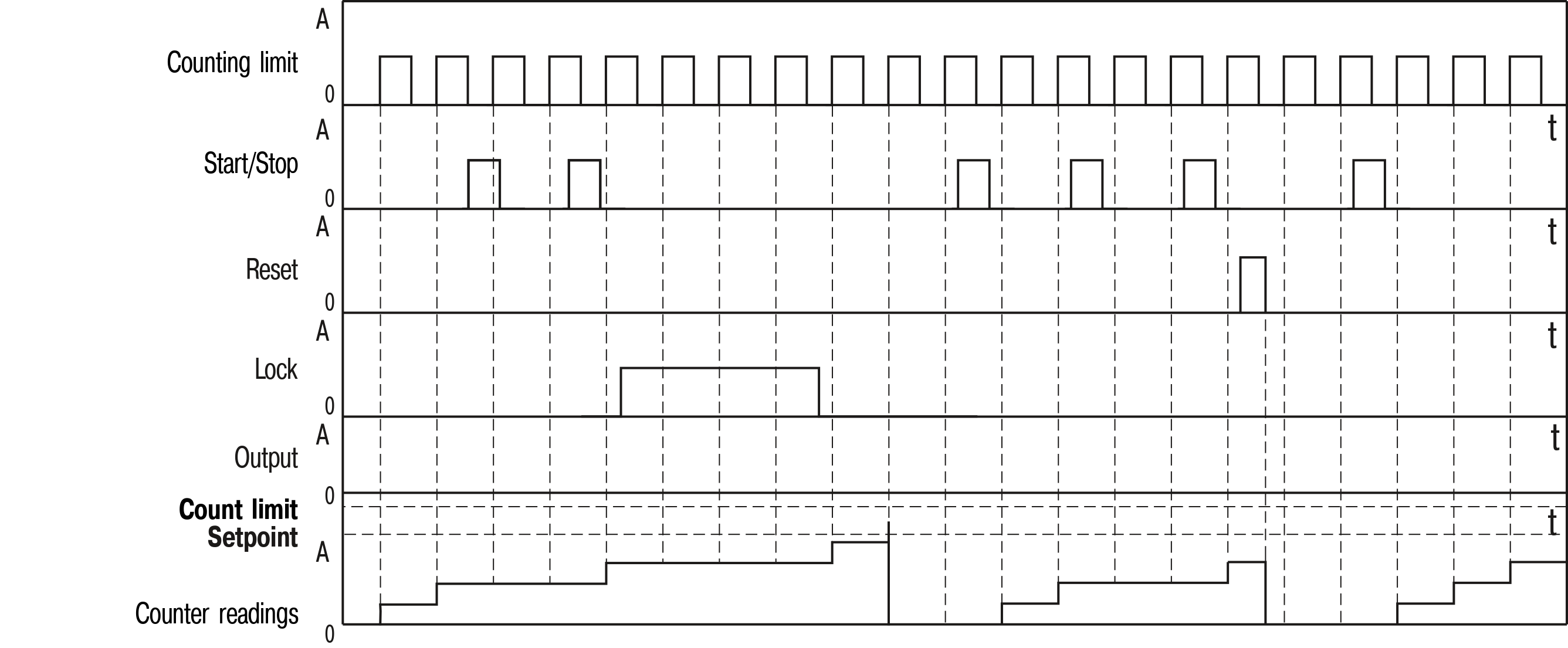
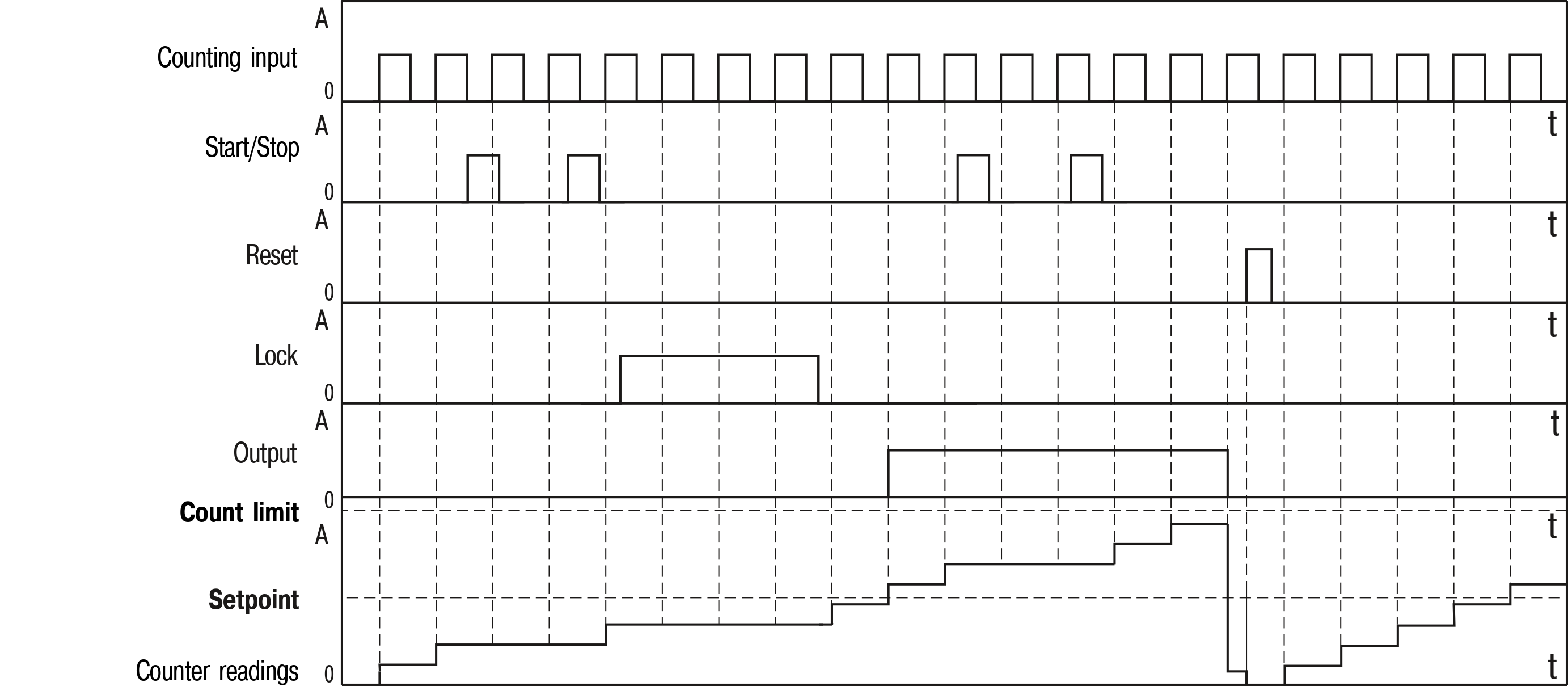
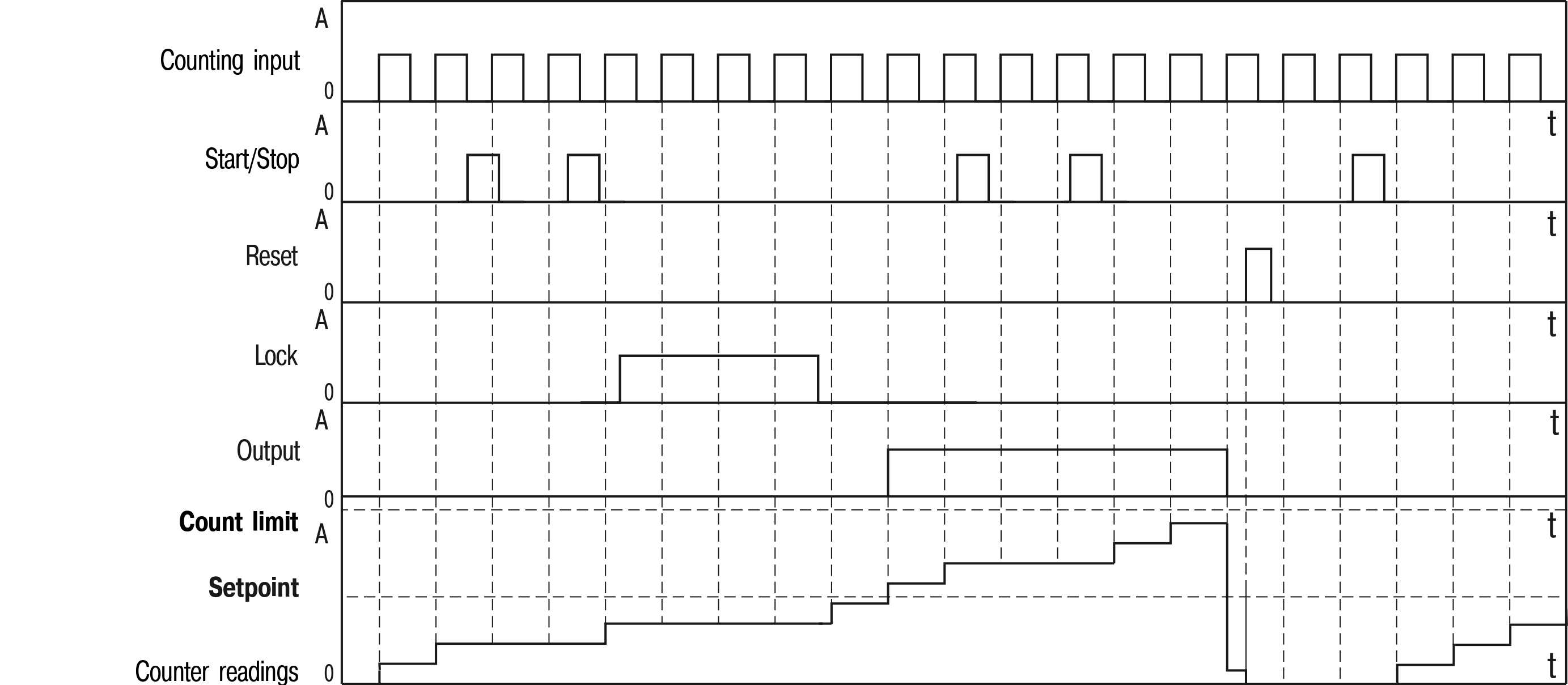
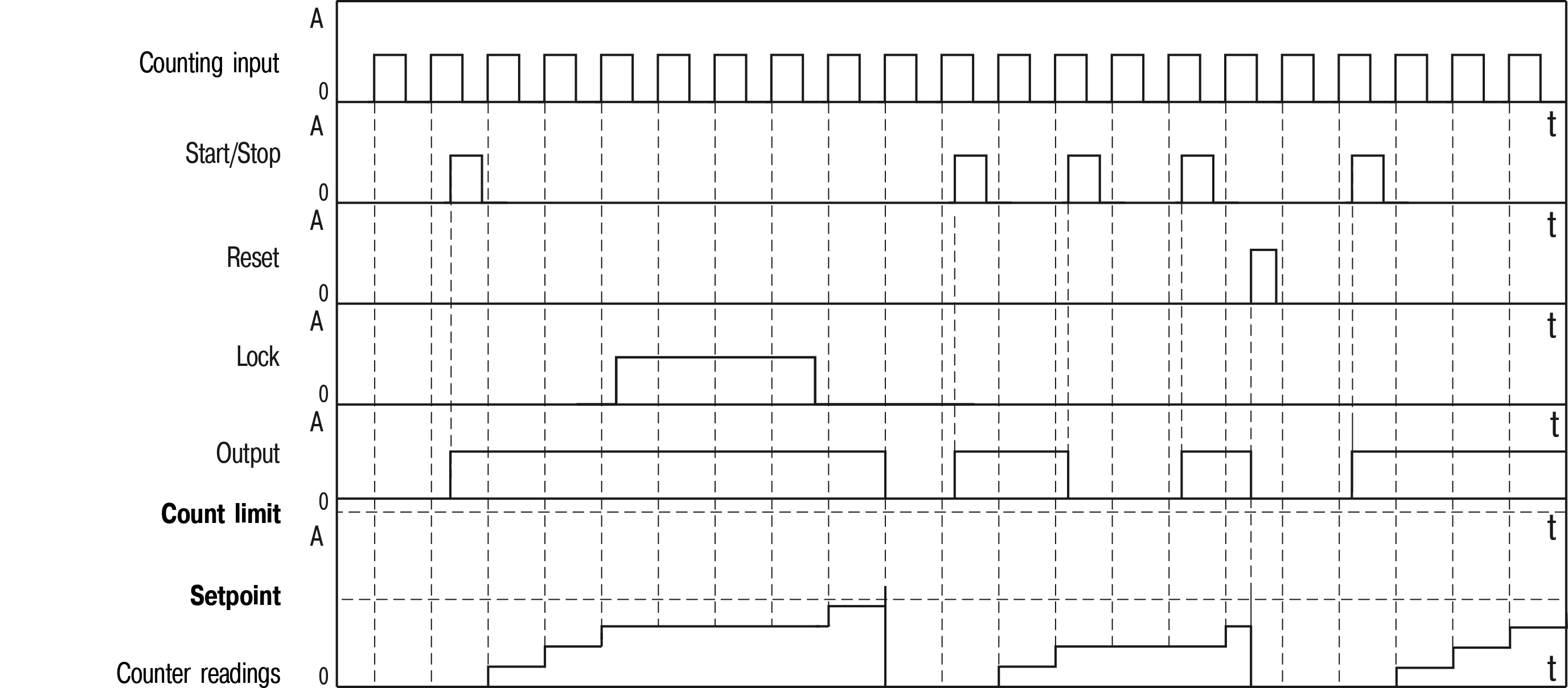
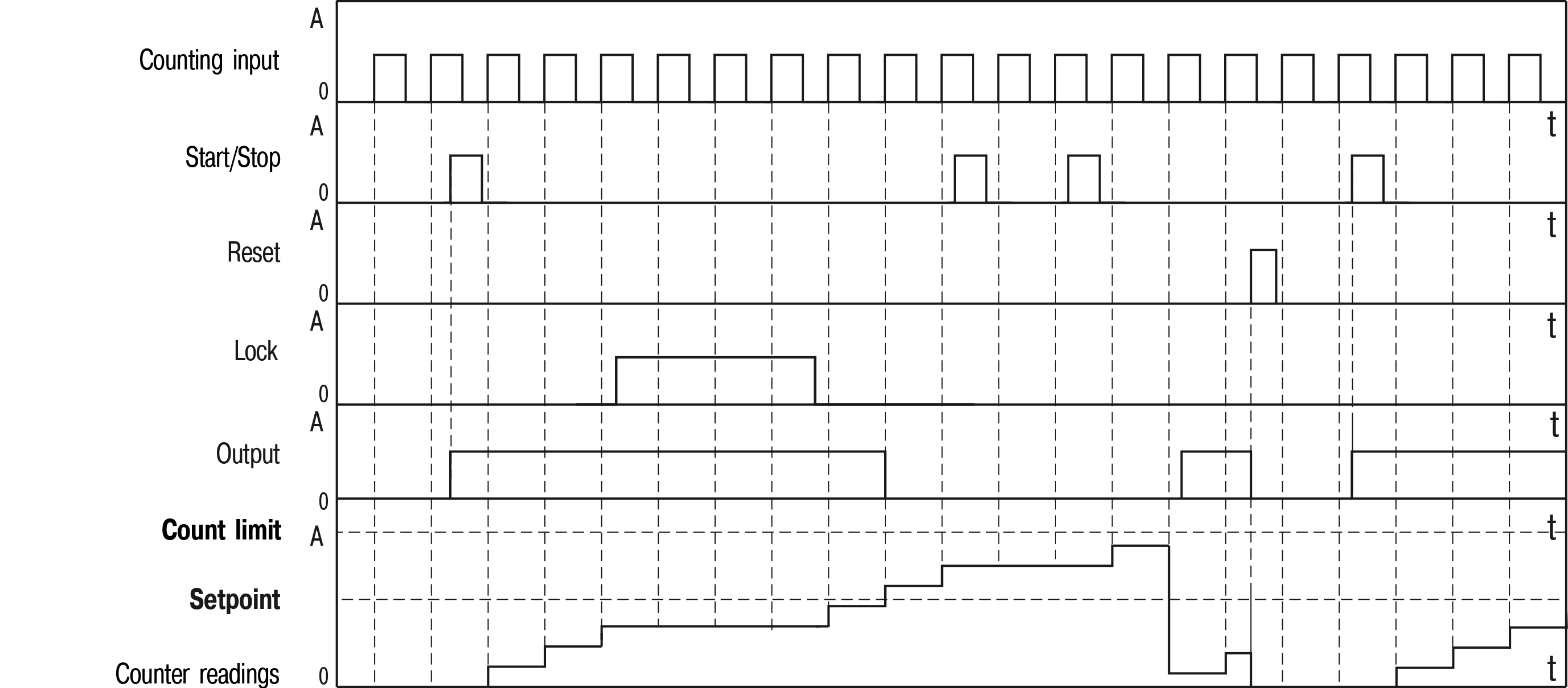
Available types of counting (depending on the values of specified parameters) are presented in Table.

Types of counting
No. Parameter Illustration
1Switched after setpoint

(1)

Reset counter and continue counting

(rStCnt)

Reset counter and continue counting

(Cont)

Graphic
Notice
This combination of parameters only resets the counter and does not provide activation of the output.
2Switched after setpoint

(1)

Reset counter and continue counting

(rStCnt)

Reset the counter and wait for signal "Start"

(StoP)

Graphic
3Switched after setpoint

(1)

Reset the counter and wait for signal "Start"

(rStStP)

Reset counter and continue counting

(Cont)

Graphic
4Switched after setpoint

(1)

Reset the counter and wait for signal "Start"

(rStStP)

Reset the counter and wait for signal "Start"

(StoP)

Graphic
5Switched after setpoint

(1)

Continue counting

(Cnt)

Reset counter and continue counting

(Cont)

Graphic
6Switched after setpoint

(1)

Continue counting

(Cnt)

Reset the counter and wait for signal "Start"

(StoP)

Graphic
7Dispenser

(2)

Reset the counter and wait for signal "Start"

(rStStP)

Reset the counter and wait for signal "Start"

(StoP)

Graphic
8Dispenser

(2)

Continue counting

(Cnt)

Reset the counter and wait for signal "Start"

(StoP)

Graphic